
Exploring Tokens
Exploring Tokens
The Tokens tab is your entry point to every market on Gametoken. You can browse without connecting a wallet.
Browse
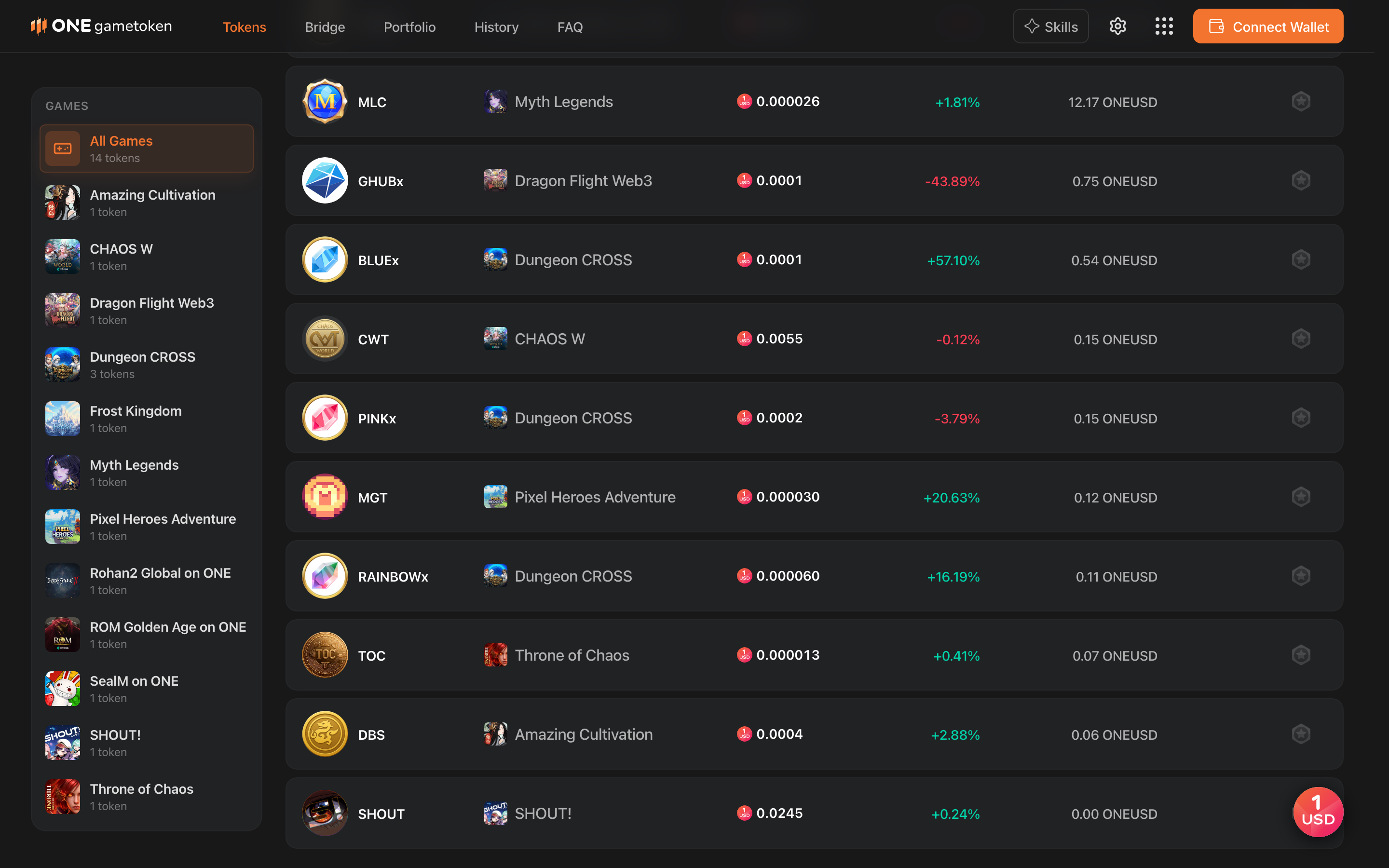
- Games: browse all of a game's tokens together, grouped by game, with the number of tokens each game has listed.
- Sort: order tokens by token name, game name, price, 24-hour change, or volume.
- Featured: the hero area highlights Hot tokens and New ones. Each card carries a short description of the game, its current price and 24-hour change, and links to Trade Now or Play.
Each entry shows the token image, symbol, and game name alongside its current price, 24-hour change, and volume. Prices and volume update in real time.
The token page
Selecting a token opens its detail page:
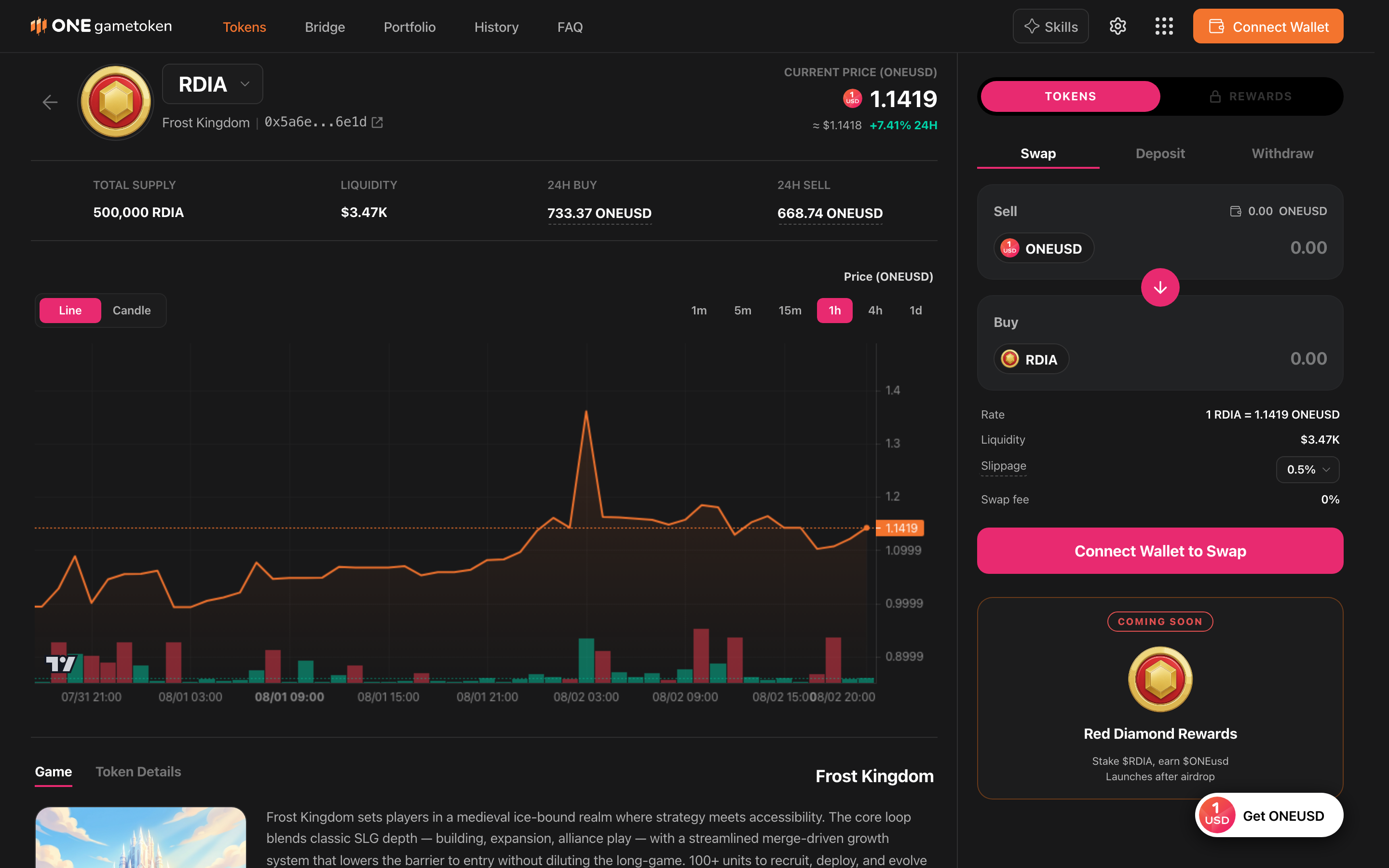
- Header: token logo, name, symbol, contract address (with copy and a block-explorer link), and a share button.
- Key metrics: current price in ONEUSD with a USD reference, 24-hour change, 24-hour volume split into buys and sells, total supply, and pool liquidity.
- Price chart: toggle between Line (default) and Candle, across timeframes from 1 minute to 1 day, with a volume histogram and a live indicator.
- Info tabs: About the Game (description, official links, media) and Token Details (contract, trading pair, LP token, and pool TVL).
- Live trades: a real-time table of recent trades (time, type, price, amount, total, trader, and transaction link). Your own trades are highlighted.
From the token page you can open the trade panel to Swap, or to add and remove liquidity (Deposit / Withdraw).
Updated 2 months ago