
Token Pair Creation
This is the process of matching game assets with tokens.
- Set up the information for tokens to be used within the application (dApp).
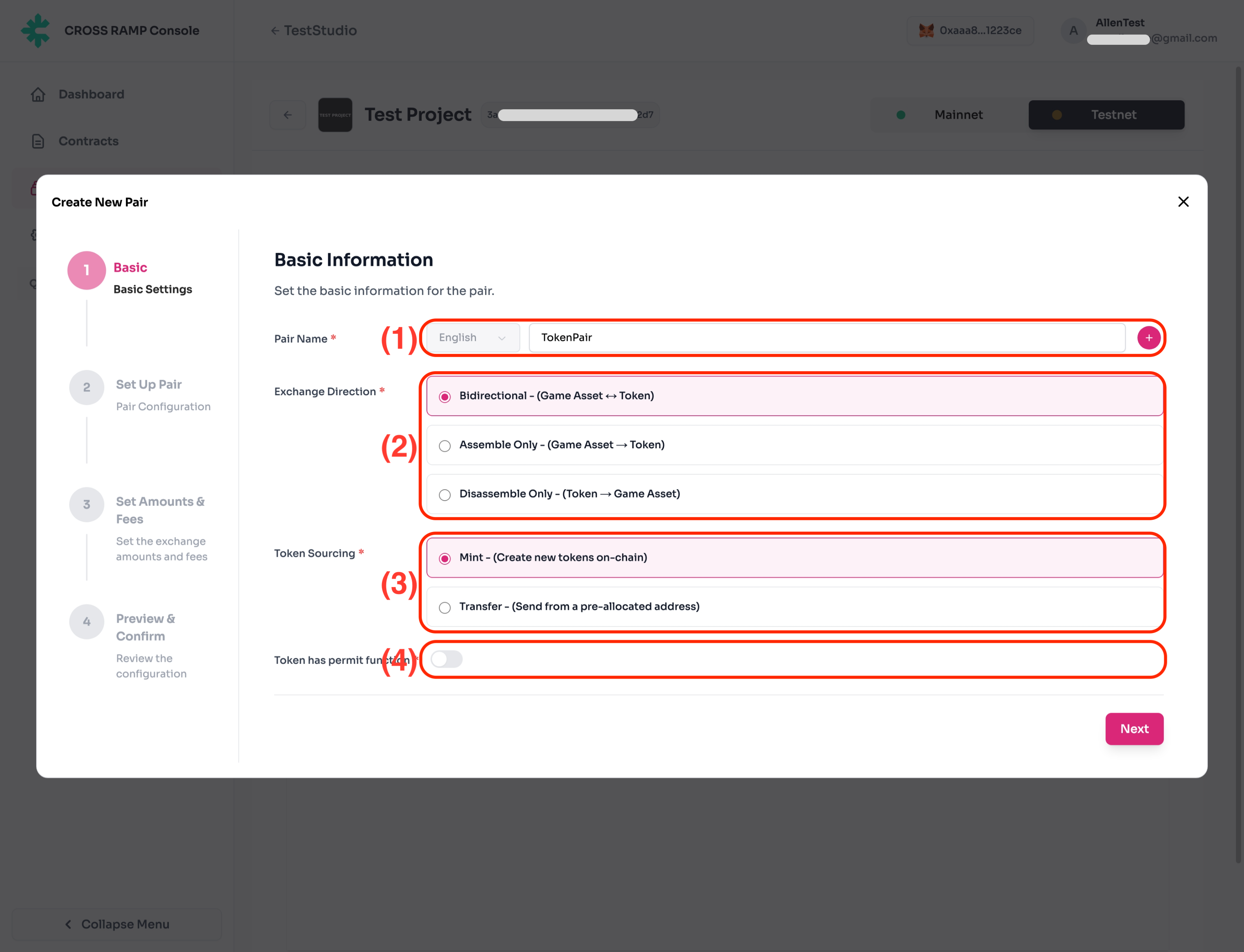
| No. | Description |
|---|---|
| (1) | This is the name used within the RAMP platform. |
| (2) | Token minting / burning activation option.
|
| (3) | Select the token minting option.
|
| (4) | Option for whether to use approval signature when burning tokens.
|
- Game asset and token mapping
This is the process of mapping game assets with tokens, allowing users to mint/burn tokens using the game currency (i.e. Gold) they possess.
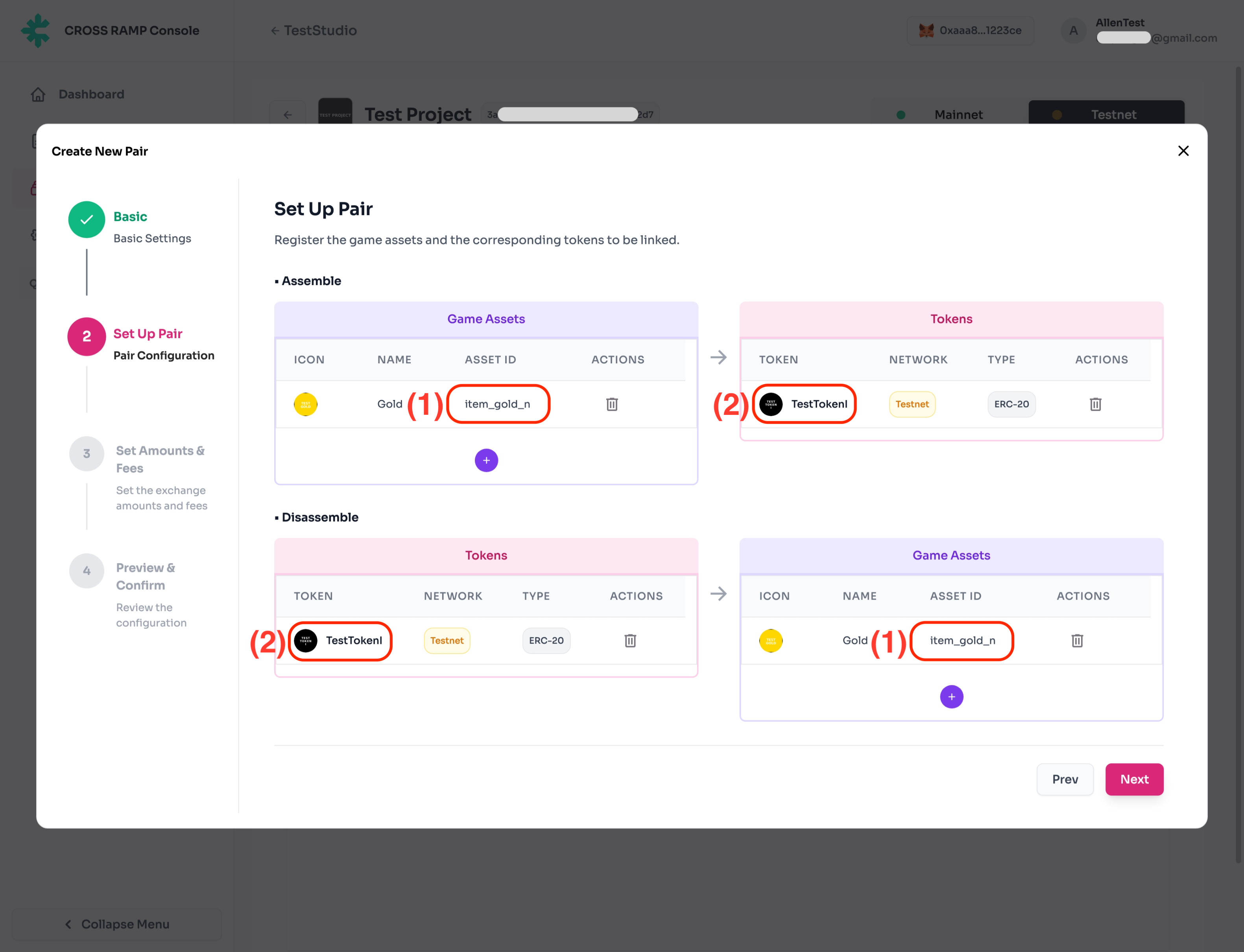
| No. | Description |
|---|---|
| (1) | This is the ID used when registering game asset information. You can mint 1 token using n game assets. |
| (2) | This is the token contract created earlier. You can acquire n game assets using 1 token. |
- Set the game currency and fees required for token minting/burning.
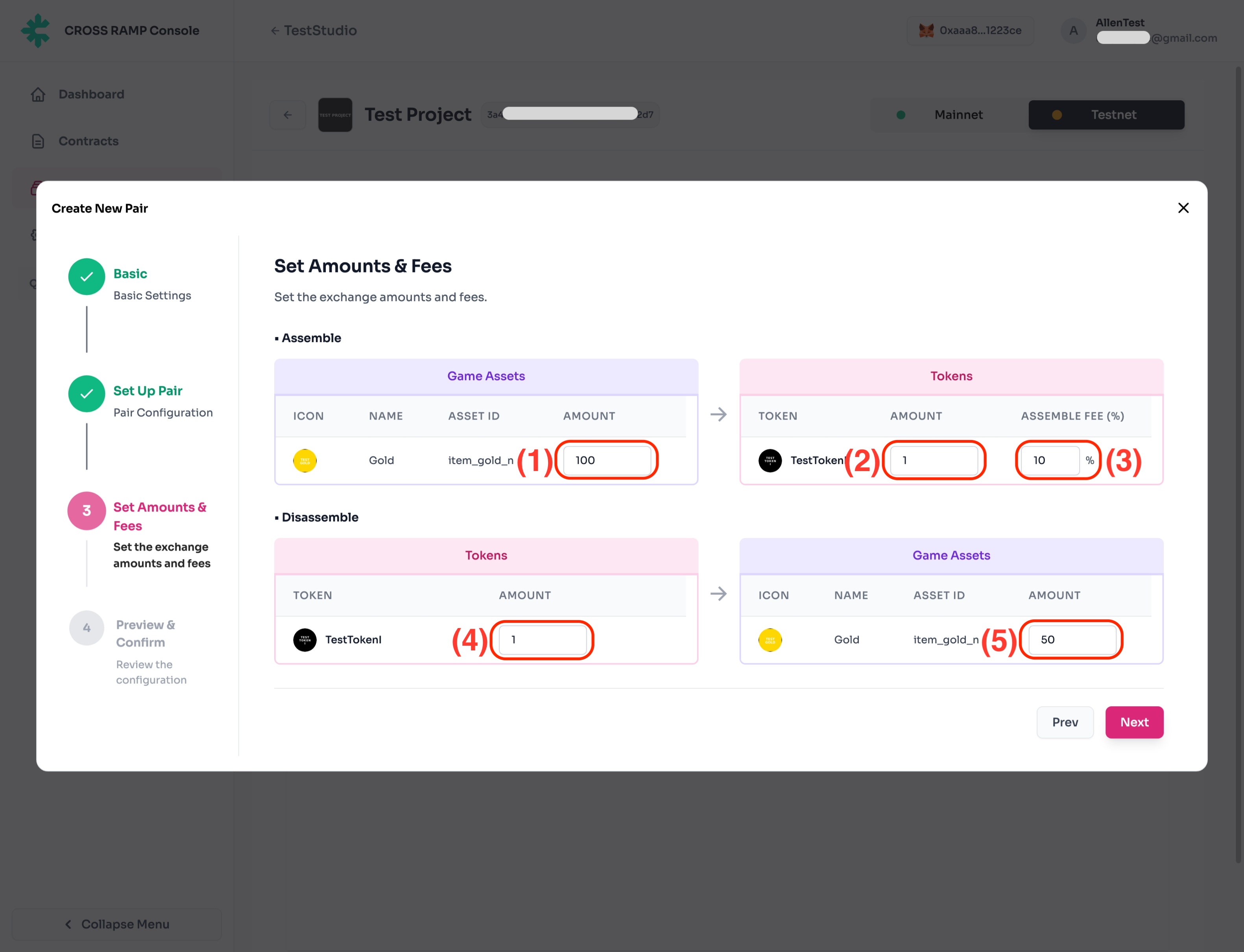
| No. | Description |
|---|---|
| (1) | The amount of game currency required for token minting. |
| (2) | The number of tokens that can be minted using the game currency amount set in (1). |
| (3) | The fee paid by users when minting tokens. Fees are sent to the fee wallet managed by the company. (When set to 10%, users receive 0.9 tokens, and 0.1 tokens are sent to the fee wallet.) |
| (4) | The number of tokens required for token burning. |
| (5) | The amount of game currency obtainable when burning tokens. |
- Confirmation screen before pair creation
Confirm the configuration information for mapping game assets with game tokens for minting/burning.
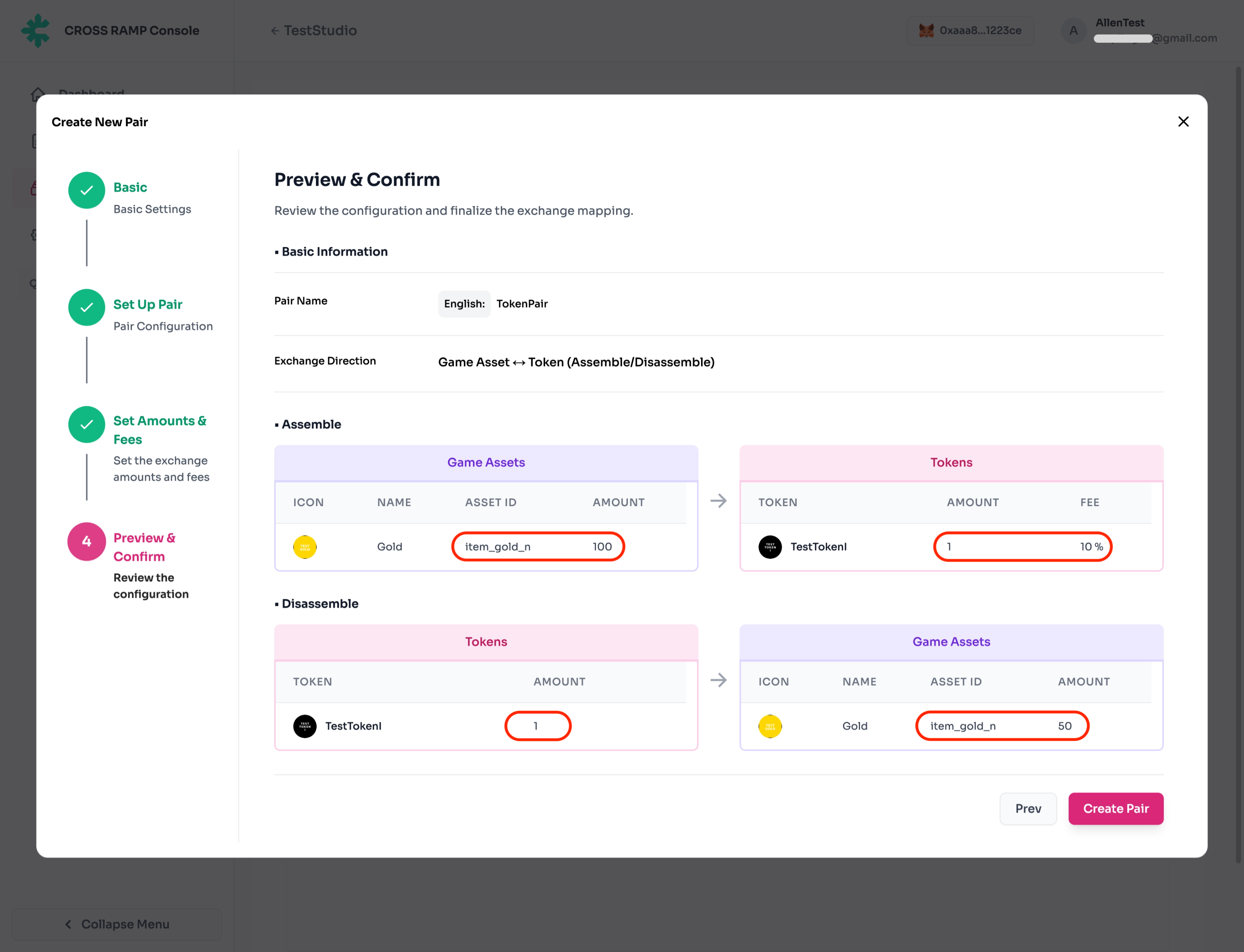
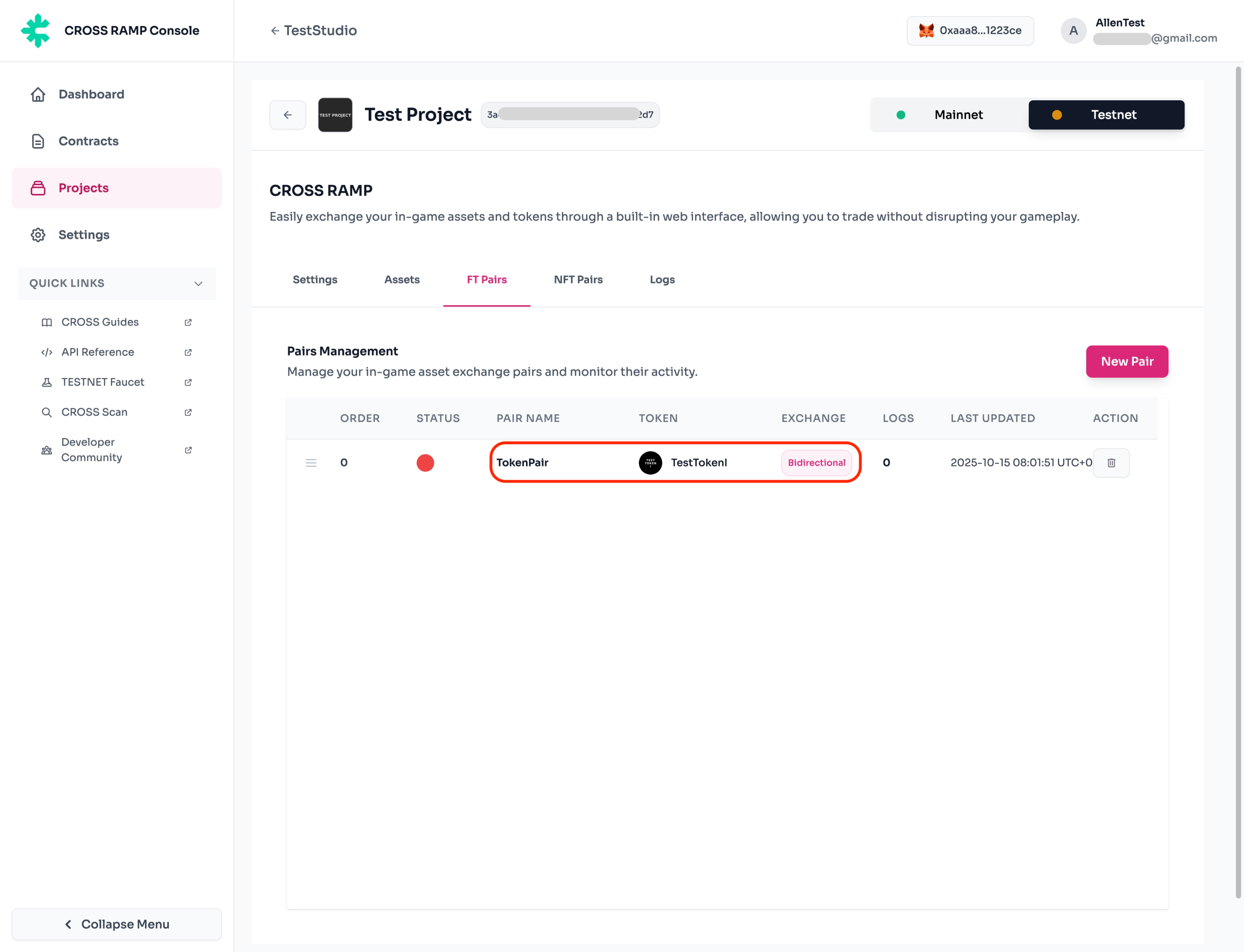
- Pair creation completion screen.
When first created, it is in an inactive state and needs to be activated after selecting from the Pair list.
- Pair activation screen
You must select the created Pair and click the Edit button to activate it.
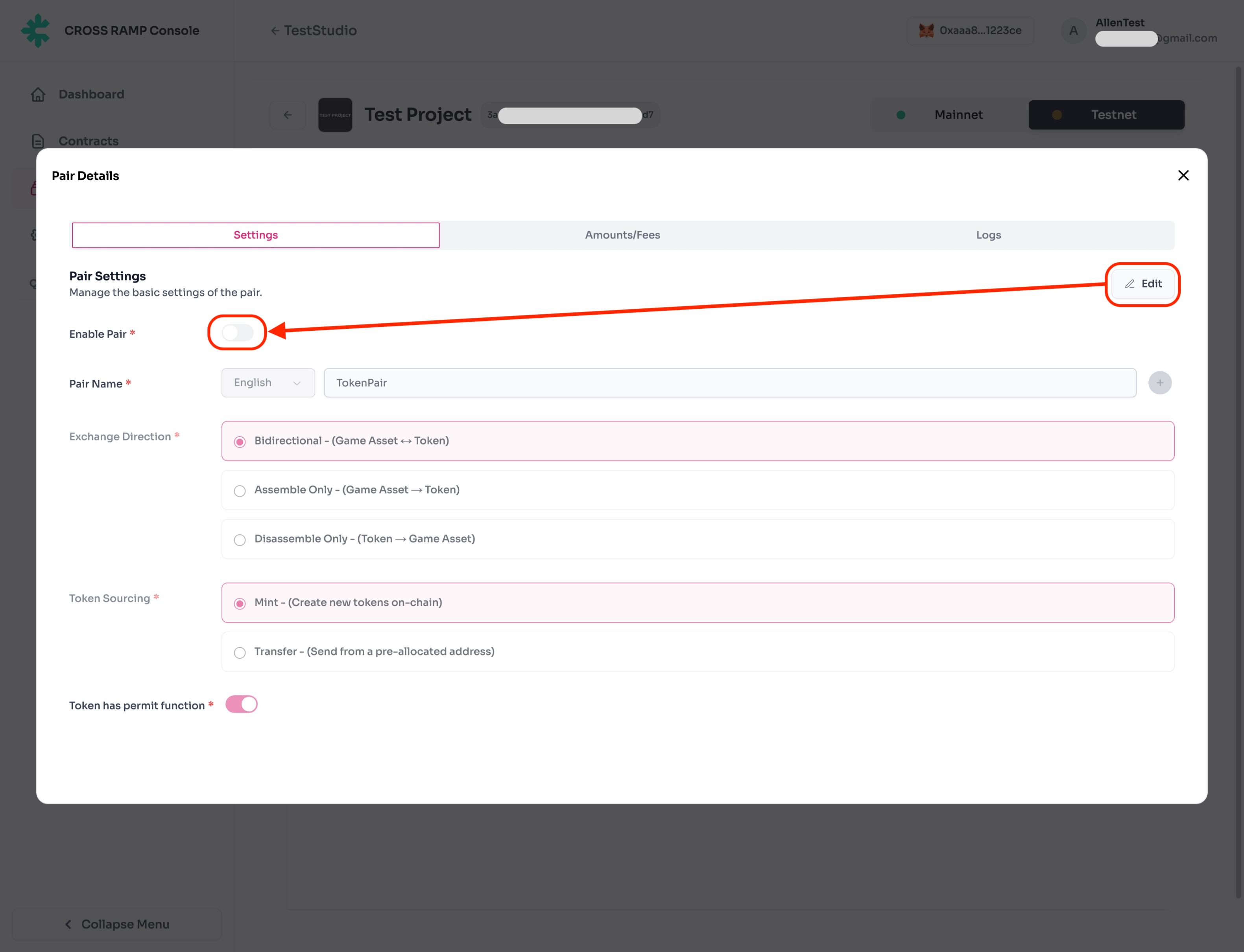
This is the activated Pair state.
