This is the process of deploying tokens used in applications (dApps).
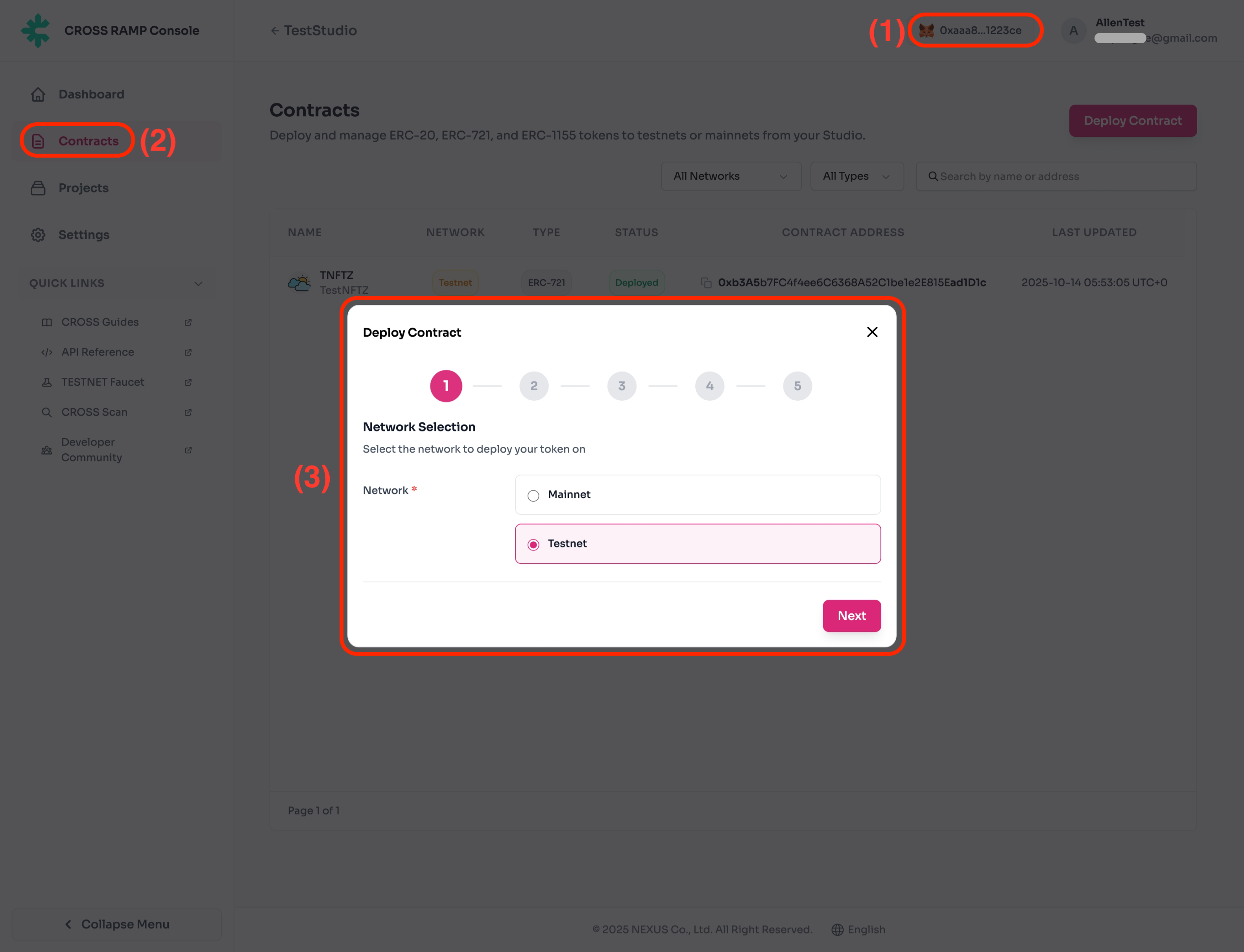
- Select the network to deploy the token contract.
| No. | Description |
|---|
| (1) | MetaMask connection is required in advance for contract deployment. |
| (2) | Deployment is available from the Contracts menu. |
| (3) | CROSS chain network selection is required. |
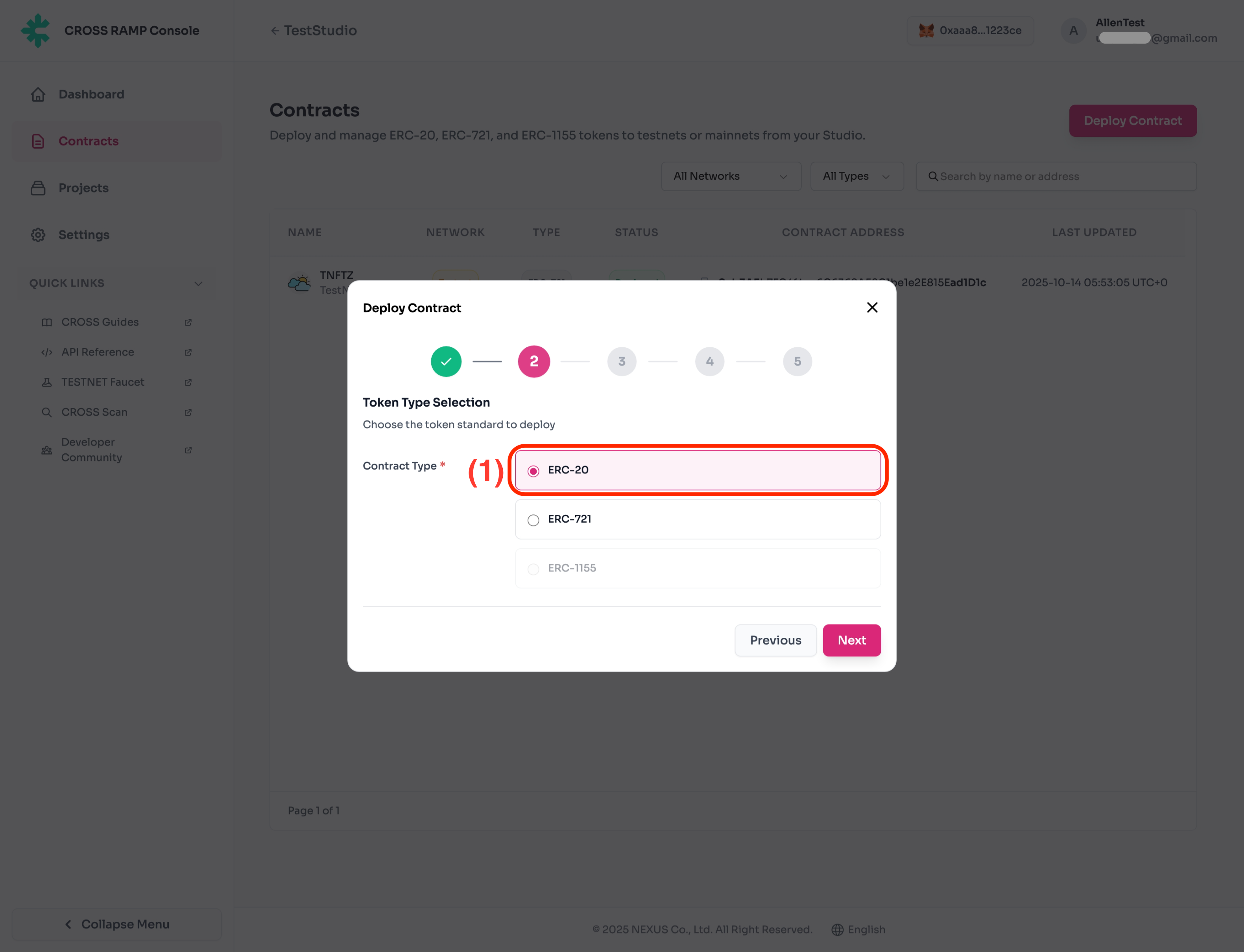
- Select the contract type to deploy.
(This guide document is written based on ERC-20.)
| No. | Description |
|---|
| (1) | ERC-20 selection is required for token contract deployment. |
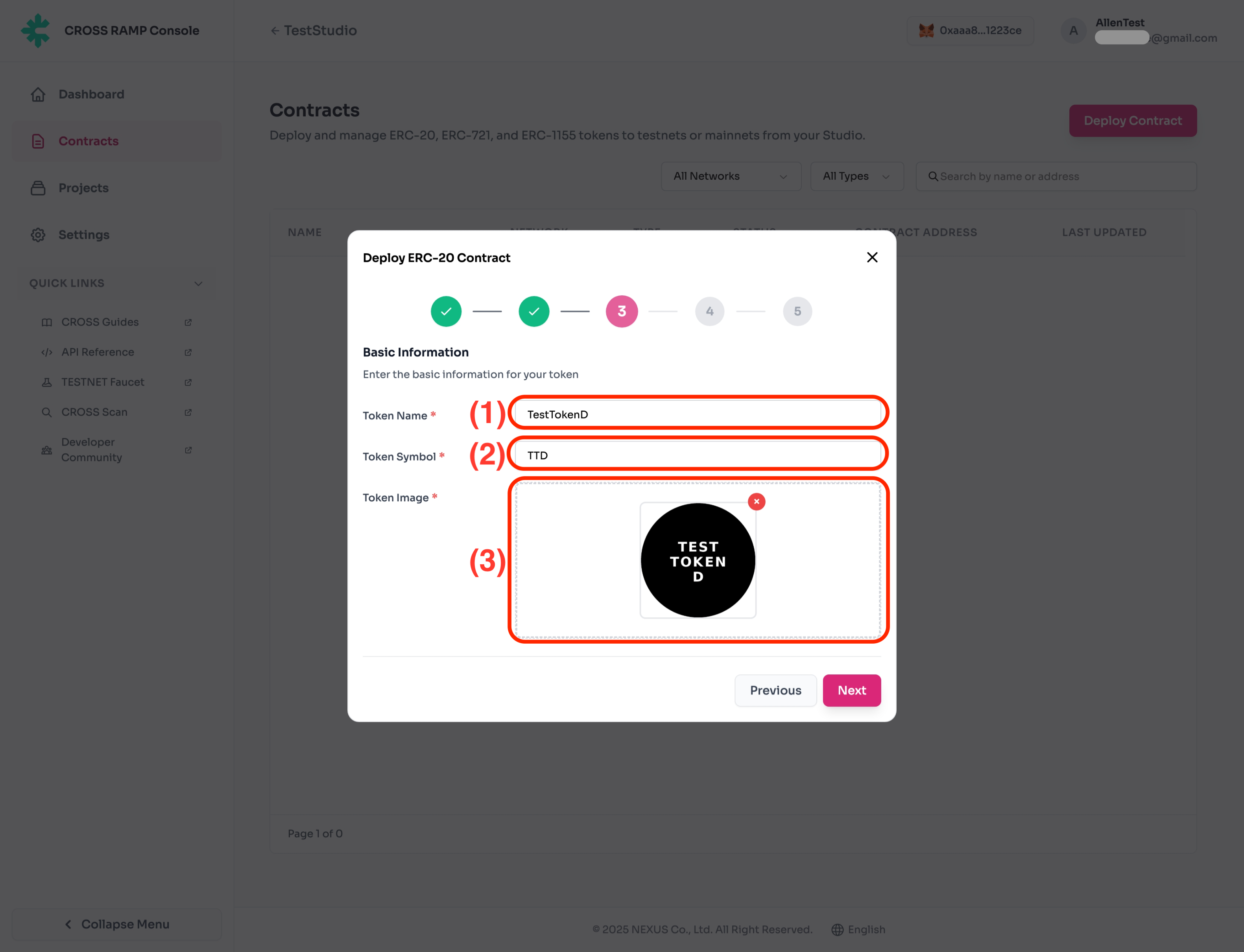
- Register the contract Name, Symbol and Image to be deployed.
| No. | Description |
|---|
| (1) | Token contract Name.
- Contract names cannot be duplicated.
|
| (2) | Token contract Symbol.
- Contract symbols cannot be duplicated.
|
| (3) | Token contract Image. |
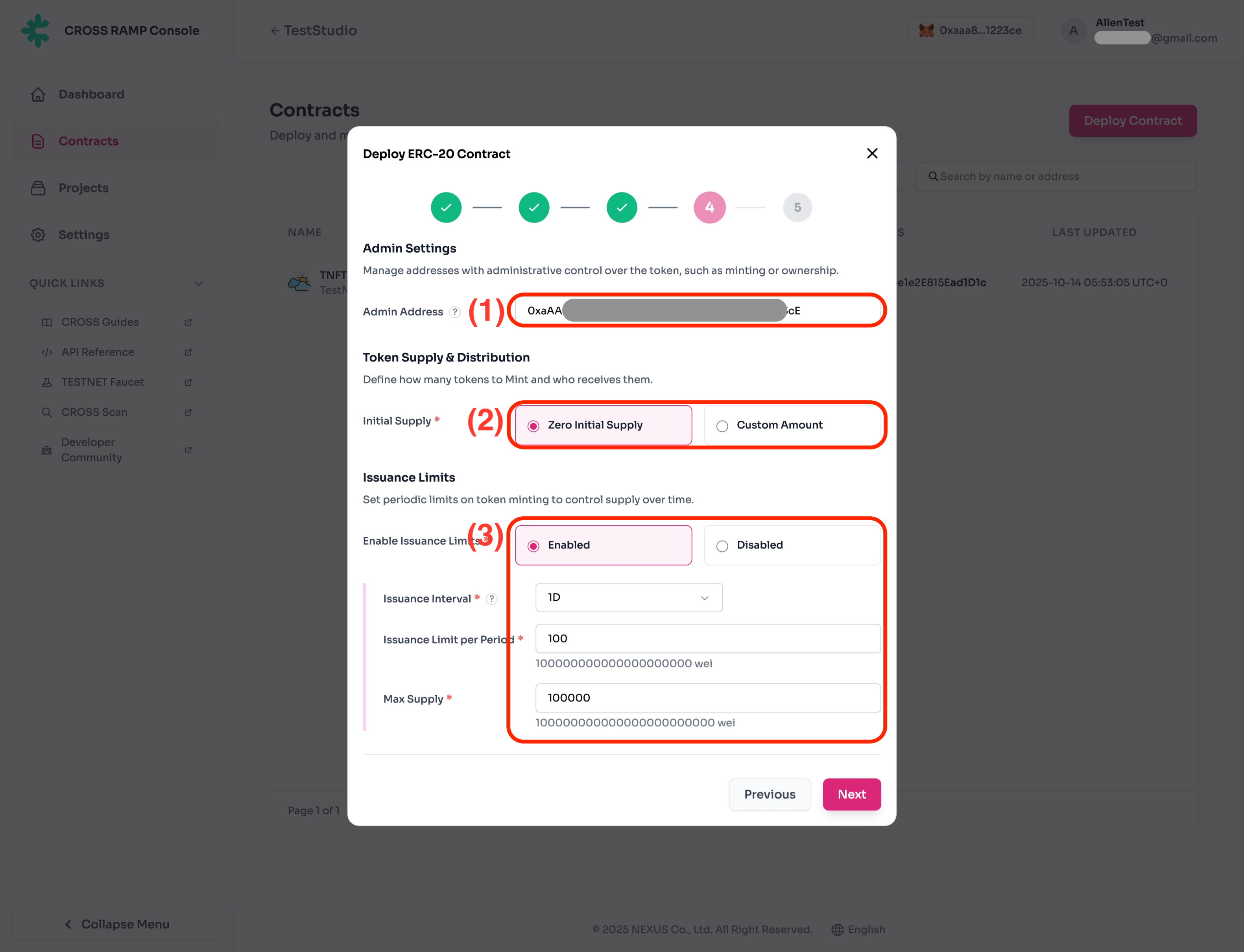
- Fill in the information required for token contract deployment.
| No. | Description |
|---|
| (1) | Admin wallet address managed by the company. |
| (2) | Token issuance amount setting.
- Zero Initial Supply : Structure where new tokens are issued each time they are minted, without any pre-issued amount.
- Custom Amount : Structure where a certain amount of tokens is pre-issued first, then deducted each time tokens are minted.
Pre-issued tokens will be held by the RAMP Contract.
|
| (3) | Daily token issuance limit setting.
Reset based on UTC-0.
- Issuance Interval : Issuance period.
- Issuance Limit per period : Issuance limit per period.
- Max Supply : Total issuable quantity of tokens.
|
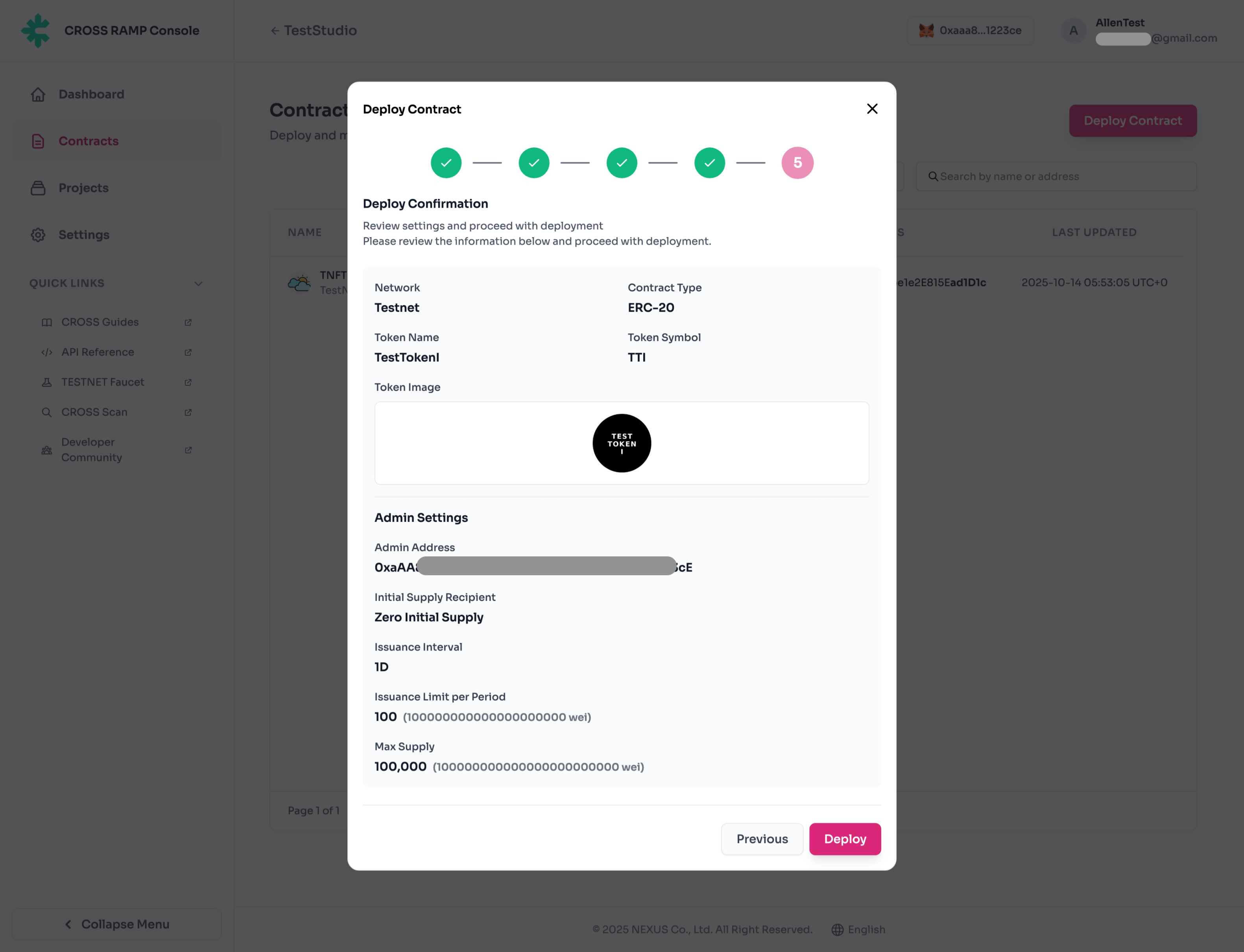
- Token information to be deployed.
Modification is not possible after deployment.
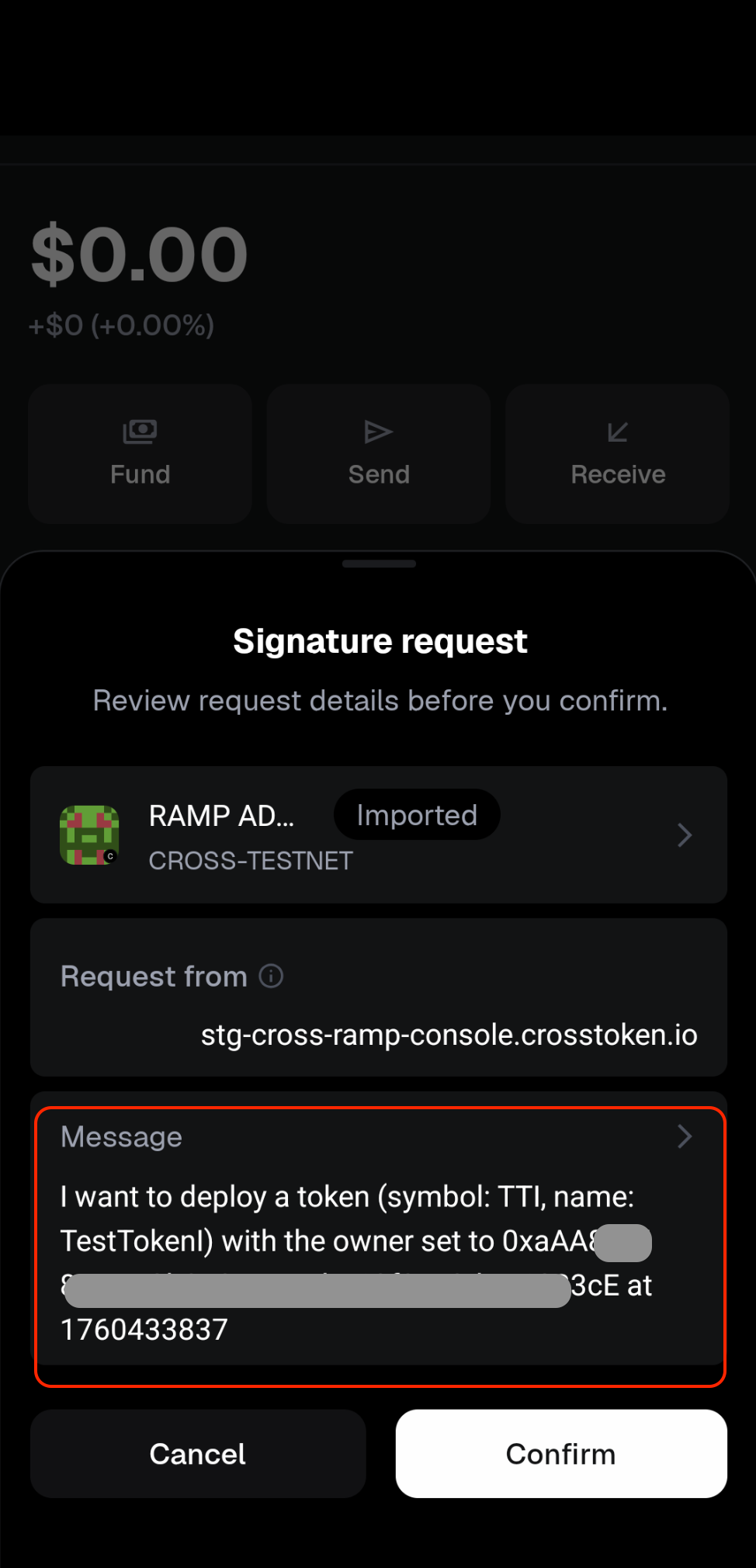
After pressing the Deploy button, you must sign within the MetaMask wallet connected to the project.
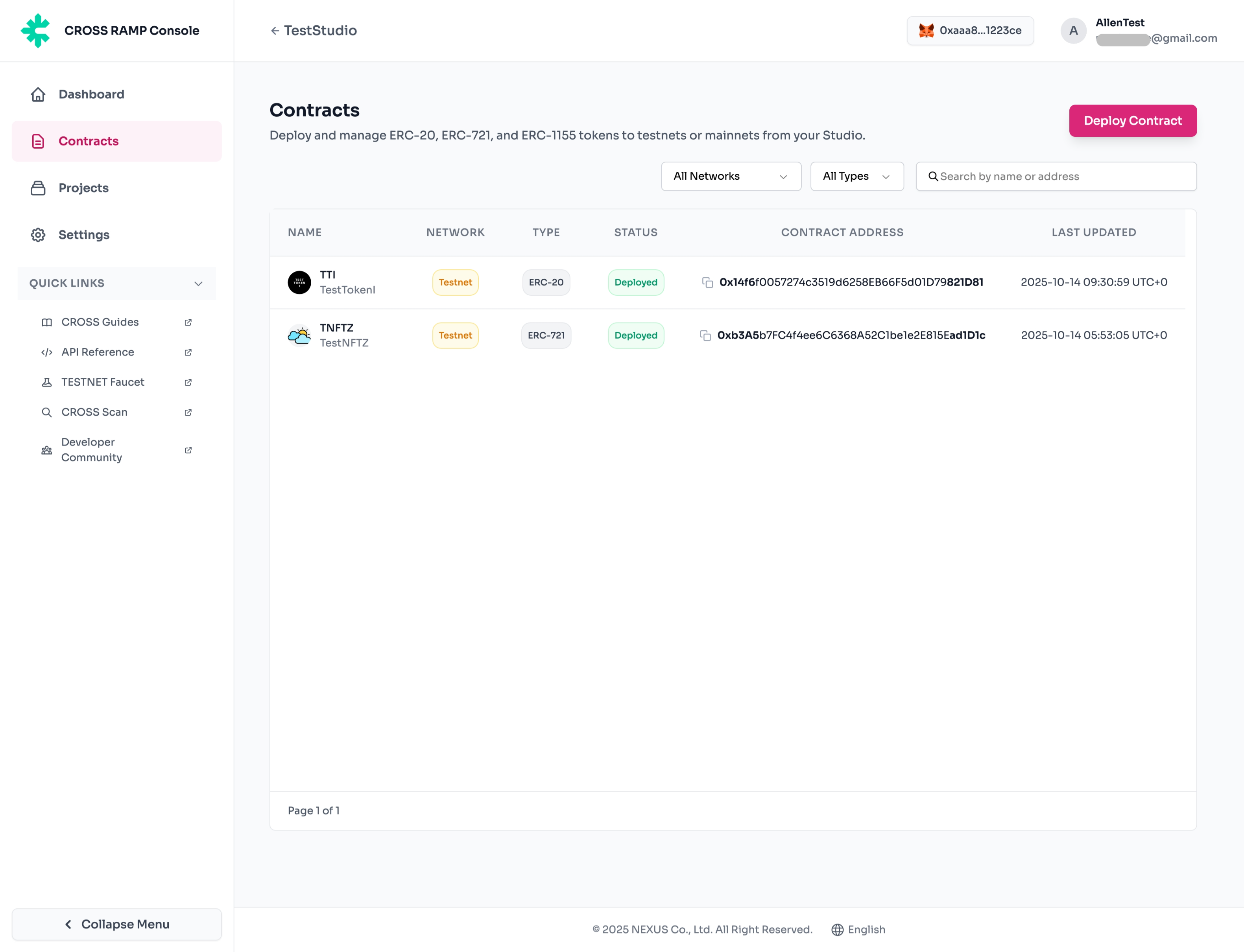
- When signing is completed in the company-managed MetaMask wallet, the token contract will be deployed.